iPhone・iPad・Android の名刺アプリ

名刺は、端末の中で読む。
どこにも送らない。

名刺を撮ると、端末の中で読み取って項目に分けます。縦書きの名刺も英語の名刺も。確かめて直してから、連絡先に入れられます。名刺は名刺帳に、会った日と場所といっしょに残ります。広告も登録も通信もありません。

App Store・Google Play で配信予定

買い切りで全部の機能が使えます。アプリ内課金・サブスクリプション・広告はありません。
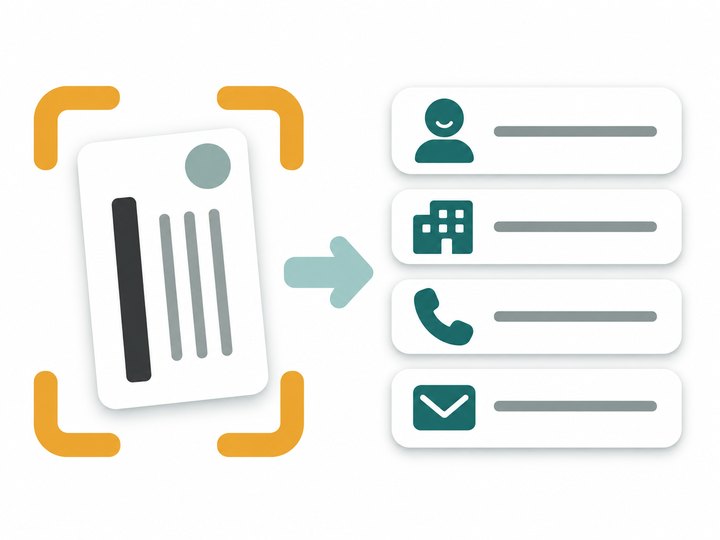
縦書きの名刺を読み取りの枠で囲み、名前・会社・電話・メールの項目に分けるイラスト

こんな困りごとのために

名刺の情報を会社に預けたくない

おみしりは通信をしません。名刺の画像も中身も、端末の中(とあなたの iCloud の控え)だけにあります。

月額の支払いが続く

買い切りで全部の機能が使えます。人数や枚数の上限もありません。

読み間違いが多い

項目を押すと、名刺のどこから読んだかを囲んで見せます。その場で直せて、分けられなかった行も残ります。

縦書きの名刺が読めない

縦書きの名刺も、英語の名刺も読みます。郵便番号からは住所の候補も出します。

更新や機種変更で消えた

毎日の控えを iCloud Drive に置きます(30日・どの日にも戻せます)。控えのファイル・CSV・vCard でも書き出せます。

あとで探せない

会社でまとめ、名前・ふりがな・タグ・会った場所・メモで探せます。会った日も残ります。

できること

撮る四隅を見つけて傾きを直す・続けて何枚も・裏も・写真から(何枚も写った1枚も)
読む端末の中で・縦書きと英語も・名前・会社・部署・役職・電話・携帯・FAX・メール・URL・郵便番号・住所
確かめる読んだ場所を囲んで見せる・直す・そのほかの行を項目に・郵便番号から住所の候補
連絡先iPhone の連絡先に入れる・名刺の画像を写真に・同じ人がいれば新しくするか別に入れる
名刺帳会社でまとめる・検索・会った日・場所・メモ・タグ・CSV(UTF-8・Shift_JIS)と vCard
データ登録・通信なし・iCloud Drive に毎日の控え 30日・控えのファイル・ゴミ箱

郵便番号のデータは、日本郵便が公開している郵便番号データ(日本郵便は郵便番号データの著作権を主張していません)をもとにしています。使い方・プライバシーポリシー・利用規約もご覧ください。

Business cards for iPhone, iPad and Android

Business cards, read on your device.
Sent nowhere.

Scan a business card and it is read on the device and split into fields, vertical Japanese cards and English cards alike. Check and fix it, then add it to Contacts. Every card stays in your Card Book with when and where you met. No ads, no account, no network.

Coming to the App Store and Google Play

One purchase unlocks everything. No in-app purchases, subscriptions or ads.

Illustration of a vertical business card inside a scanning frame, split into name, company, phone and email fields

Made for these problems

Don't want a company holding your cards

Omishiri makes no network connections. Card images and details stay on your device (and in your own iCloud backups).

Monthly fees that never end

One purchase unlocks everything, with no limits on cards.

Too many misreads

Tap a field to see where on the card it came from and fix it on the spot. Lines that could not be sorted stay too.

Vertical cards don't scan

Vertical Japanese cards and English cards are both read. A Japanese postal code suggests the address.

Lost everything in an update

A daily backup goes to iCloud Drive (30 days, restore any day). Export a backup file, CSV or vCard too.

Can't find a card later

Group by company and search names, readings, tags, places and notes. The day you met is kept.

What it does

ScanFinds the corners and straightens; many in a row; front and back; from photos, even several cards in one
ReadOn the device; vertical Japanese and English; name, company, department, title, phone, mobile, fax, email, website, postal code, address
CheckShows where each field was read; fix; assign leftover lines; address suggestions from postal codes
ContactsAdd to iPhone Contacts; card image as photo; update or add new if the person exists
Card BookGroup by company; search; date met, place, notes, tags; CSV (UTF-8 or Shift_JIS) and vCard
DataNo account or network, daily iCloud Drive backups for 30 days, backup file, trash

Postal code data comes from Japan Post's published postal code data (Japan Post does not claim copyright on it). See also Help, Privacy Policy and Terms of Use.